PasteKeys

When paste is blocked, type it.

Your clipboard, as keystrokes. Remote desktops, virtual machines, server consoles, and fields that refuse to paste all accept typing. PasteKeys types what you copied, so you don't have to.

Join the beta list to hear about new builds first.

You're on the list. We'll email you when there's a new build.
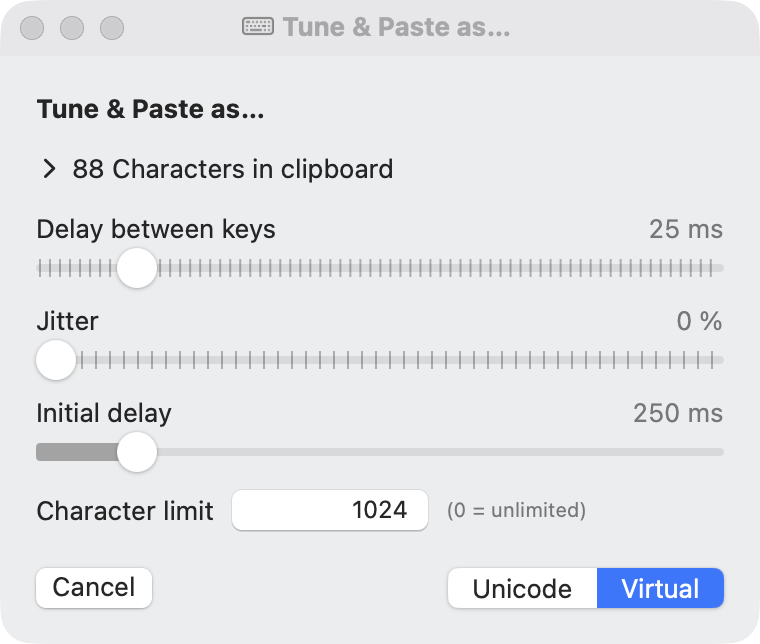
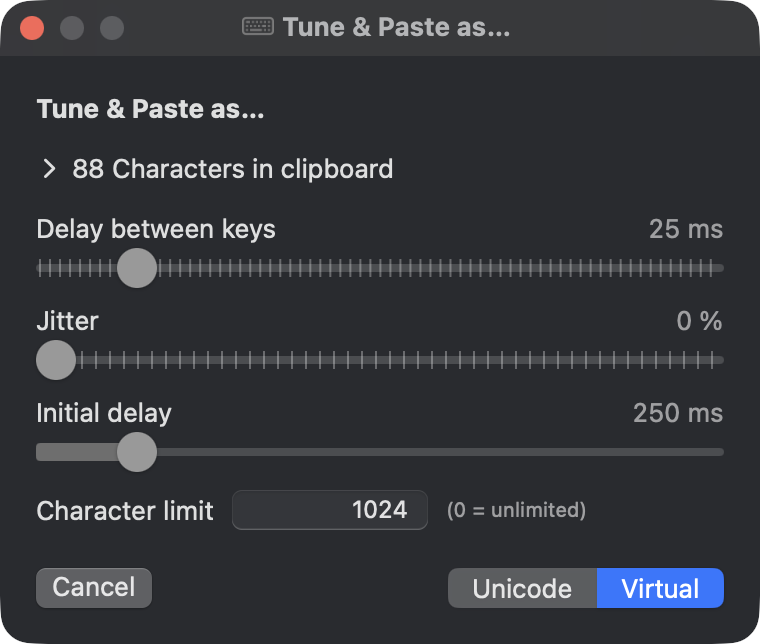
The PasteKeys Tune & Paste window, with sliders for typing speed and buttons to paste as Unicode or Virtual keys The PasteKeys Tune & Paste window, with sliders for typing speed and buttons to paste as Unicode or Virtual keys

For the places ⌘V can't reach

Some targets have no clipboard, or won't share one. They still have a keyboard.

Remote desktops

RDP, Citrix, and VNC sessions where the clipboard doesn't sync, or isn't allowed to.

Consoles and VMs

Hypervisor consoles, KVM-over-IP, and out-of-band management screens that only understand key presses.

Paste-blocked fields

Forms and apps that disable paste still take typing. Long keys and generated passwords go in without retyping by hand.

Three steps

1

Copy

Copy text the usual way, from anywhere on your Mac.

2

Click

Put the cursor where the text should go.

3

Press ⌃⌥⌘V

PasteKeys types it out. Press Esc to stop partway.

Small, and careful about it

Two ways to type

Virtual Keys sends real key codes, which is what remote sessions and VMs expect. Unicode types any character on any keyboard layout, emoji included.

Global hotkeys

One shortcut for each mode, from any app. Change them to whatever suits you.

Tune & Paste

Slow it down for a laggy connection, cap the length, or edit the text first. Applies to the next paste only.

Private by design

Sandboxed, with no network access. The menu shows how many characters are on your clipboard, never what they are.

Help test PasteKeys

Join the beta list and be first to try new builds.

You're on the list. We'll email you when there's a new build.
macOS 12+